To publish an app on Google Play you have to link to an active privacy policy. That sounds like paperwork, and it partly is, but it is also how a stranger decides whether to trust an app that wants to live on their phone. For apps that show ads or use third-party SDKs, a missing or inaccurate policy can hold up a release or get an update rejected.
The usual problem is not that people skip the policy. It is that they paste one from a generator that does not match what the app actually does. This guide closes that gap by starting from your app and working outward, so the policy you publish describes the thing you really built.
Part 1: Map your app's data flow first
Before writing a word of the policy, write down what the app collects, where it goes and how long it is kept. You will end up with four buckets.
- What you collect yourself: accounts, email, location, photos, files, anything you ask for.
- What SDKs collect: AdMob, Firebase, Crashlytics and so on. Each has its own data collection, which you must read about.
- What stays on the device: user calculations or settings that never reach a server.
- Nothing at all: some apps really collect nothing, and then the policy can say so plainly.
Part 2: What the policy should cover
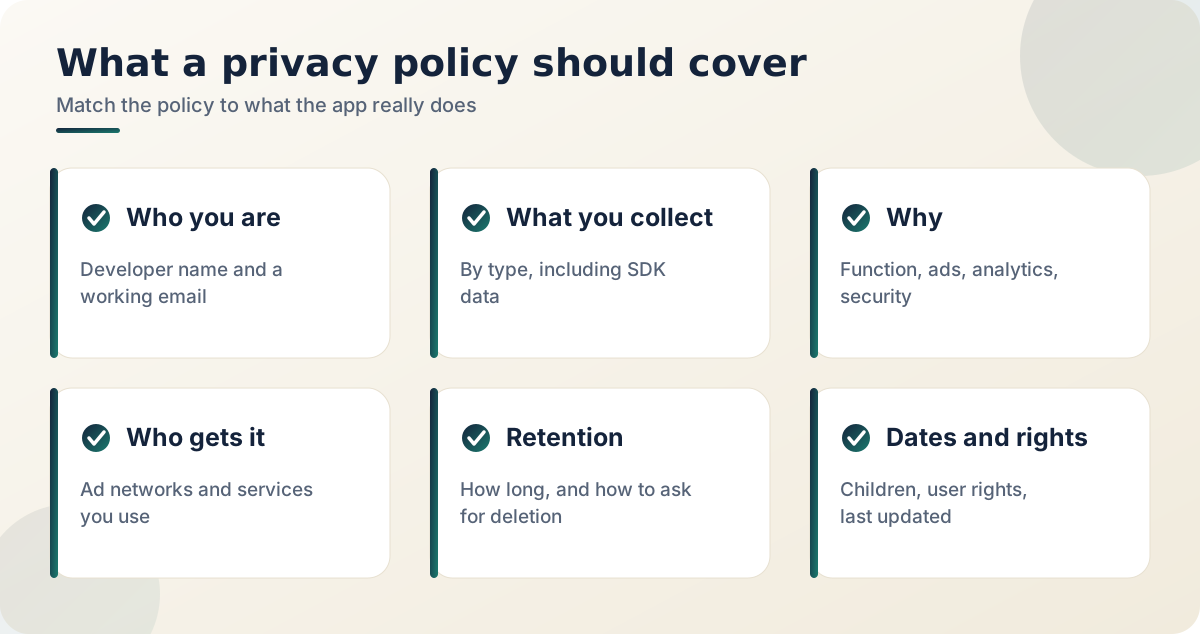
- Who you are and how to reach you. A name and a working contact email.
- What data is collected. Be specific: advertising ID, crash logs, device model, and so on, not just "some information".
- Why it is collected. Functionality, advertising, analytics, security.
- Who it is shared with. The names or categories of ad networks and other service providers.
- Retention and deletion. How long data is kept and where to send a deletion request.
- Children. Whether the app is for children and whether data is collected from them.
- User rights. Access, correction, deletion and ad opt-out.
- Dates. Effective date and last updated date.
Part 3: Ads and third-party SDKs
If you use AdMob, say that Google may use the device advertising ID and other information to serve and measure ads, and link to Google's own policy. Add one line on how users can reset the advertising ID or turn off personalised ads in device settings.
Listing each SDK by name is good practice. When an update adds a new SDK, update the policy in the same release.
Part 4: Where to host it and where to link it
The policy needs a public web page that opens without a login, and the link must work from a phone. Put the same link in the Play Console store listing and inside the app, for example in Settings or About. Google's own requirement is explained in the User Data policy, and its wording changes now and then, so check the current text in Play Console help.
| Where | What to do |
|---|---|
| Play Console, store listing | Paste the public policy URL |
| Inside the app | Link from Settings or About |
| Data safety form | Match every answer with the policy |
| Your website | Keep one page per app |
Part 5: If you publish many apps
With many apps, one URL per app is the cleanest approach, for example arefinkhaled.com/privacy/app-name. Generating the pages from one master template keeps the language consistent, and only the data section changes from app to app.
A final checklist before you publish
- Open the policy link in a private browser window.
- Add the link inside the app too.
- Compare every answer in the Data safety form with the policy.
- Check that the contact email works.
- Update the policy whenever you add an SDK.
Frequently asked questions
Do I need a policy if my app collects nothing?
Play still asks for one in many cases, and a short honest page saying nothing is collected is easy to write and builds trust.
Can I use a free generator?
As a starting draft, yes. Then edit it until every sentence is true for your app.
Does the policy need a lawyer?
Not always, but for apps handling sensitive data or children's data, a legal review is worth it. This article is general information, not legal advice.
What if I forget to update it?
An outdated policy can cause rejections and, more importantly, misleads your users.
Does every app need a privacy policy on Google Play?
Many sources say yes, even when the app collects nothing, because Play asks for a policy link in the store listing and inside the app. Check the current wording in Play Console Help.
Can the policy be a PDF?
A normal public web page is the safer choice. It should open without login on a phone, and it should not be something users must download.
Official and outside resources:
- Play Console Help: User Data policy
- Play Console Help: Data safety section
- Android Developers: privacy and security
Related reading
- How to publish your first Android app on Google Play: where the privacy policy link goes in your first release
- AdMob for beginners: how to earn from ads without risking your account: what to say about ads and the advertising ID
- Setting up app-ads.txt across multiple Play Console accounts: the other file Google checks for ad apps
A privacy policy is a promise. Keep it short enough to be read and accurate enough to be kept.