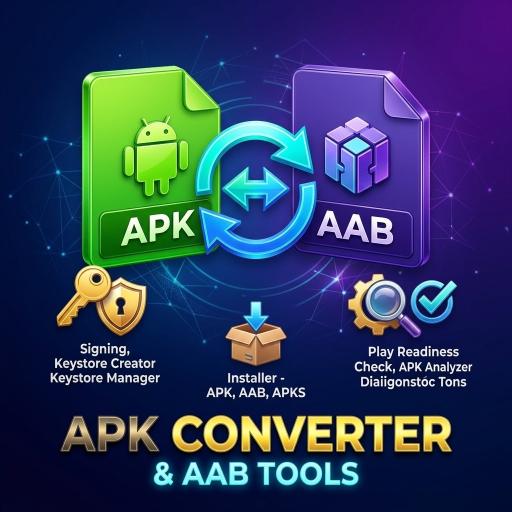
New apps on Google Play must be uploaded as an AAB (Android App Bundle), but an AAB cannot be installed directly on a phone. To test on your own phone or hand a build to a friend, you need an installable APK. If you do not have a computer nearby, you can do the whole conversion on the phone itself.
This guide walks through it with our Apk Converter and AAB Tools app, explains what each choice means so you are not just tapping buttons, and covers what to do when the install fails.
Part 1: Before you start
Do this only with apps you own or have permission to modify.
- The AAB file: keep your .aab file in the phone's storage.
- A keystore: your signing keystore and its password. If you do not have one, the app can create a PKCS12 keystore. If you need more background, read our guide on creating a keystore and signing an AAB on your phone.
- Free space: a universal APK is usually larger than the AAB, so leave some room.
Part 2: Convert the AAB to an APK
- Open the converter section of Apk Converter and AAB Tools and pick your AAB file.
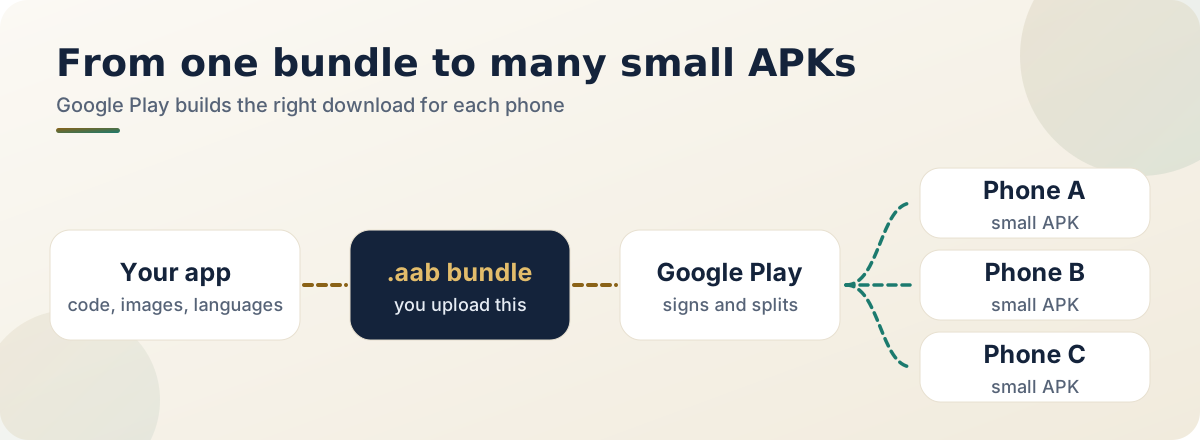
- Choose universal APK as the output. It is a single file that runs on any device. The other kind, an apks set, holds many small APKs for specific phones and is meant for tools like bundletool.
- Select your keystore and enter its alias and passwords. The conversion signs the APK with it.
- Start the conversion and wait. Large apps can take a while, so keep the screen on.
Part 3: Check what is inside
If you want to check an app you are about to ship, use the APK analyzer and permission viewer to see which permissions it asks for and which SDKs it contains. This helps with your own apps too, because unnecessary permissions make the privacy policy and Data safety form harder to get right. Our privacy policy checklist shows what to say once you know.
Part 4: Installing
You can install the generated APK straight from the app. If Android asks for permission to install from this app, grant it in the phone's settings. You can turn the permission off again afterwards.
Part 5: If something goes wrong
| Problem | What to try |
|---|---|
| Install fails | Check whether an earlier version of the same package was signed with a different keystore. If so, uninstall the old version, then install the new one. |
| "App not installed" | Free up storage, and check the APK is fully copied and not corrupted. |
| Blocked by the phone | Allow installs from this source in settings. |
| Keystore error | Check the alias and both passwords carefully. |
For uploading to Google Play, use the original AAB, not this APK. The APK is only for testing and direct distribution.
Frequently asked questions
Why can't I install the AAB directly?
An AAB is a bundle that Google Play turns into device-specific APKs. It is not an install package itself.
Can I upload the APK to Play instead?
New apps are required to use AAB, so upload the AAB.
Is it safe to convert someone else's app?
Only do it with apps you own or have permission to modify.
Do I need a computer?
No. The whole process runs on the phone, though Google's bundletool does the same on a computer.
How do I convert AAB to APK with bundletool on a computer?
Run bundletool build-apks in universal mode to produce an .apks archive, rename it to .zip, extract it, and you will find universal.apk inside. Java must be installed.
Is it safe to use an online AAB converter?
You upload your app file to a third party, so only do it for apps you are happy to share. Converting on your own device avoids that.
Official and outside resources:
Related reading
- How to create a keystore and sign your AAB without a computer: where your signing key comes from
- How to publish your first Android app on Google Play: the upload side of the story
Build for testing with an APK, ship with the AAB, and keep your keystore backed up. That is the whole routine.